This blog will dive deeper in Site roles. Beneath "Servers and Site System Roles" all Site servers and Site roles will be seen. Default the following roles will be seen on the Site server: Component server, Distribution point, Management point, Site database server, Site server and Site system.
They are the same Site roles that will be seen on a ConfigMgr 2007 server. New roles that can be added in ConfigMgr 2012 B2 are:
- Mobile device and AMT enrollment point
- Mobile device enrollment properties
- Application Catalog Web Service Point
- Application Catalog Web Site point
This because Mobile Device Manager is included in ConfigMgr now, and a new Application Catalog will be available on desktops with the ConfigMgr client installed. With this Application Catalog, users can "order" software, and after approval the application will be automatically installed!
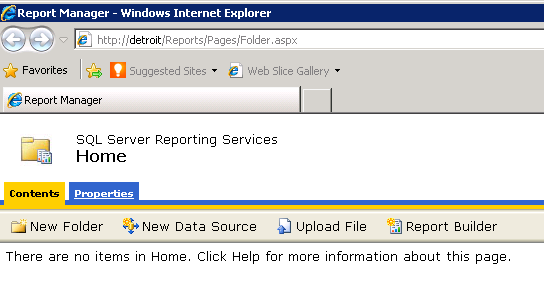
I have added roles for Application Catalog, Reporting Services, Server Locator, and Software Updates here. The Reporting Services role is mandatory when reporting is needed. This because the default Reporting role is not available in ConfigMgr 2012 anymore. Now Reporting Services is the way for watching reports. The advantage here is that this role can run on the SQL Server. This to devide the server load on multiple machines.
One role missing here is the PXE Services point. This role doesn't exist anymore in ConfigMgr 2012. Now PXE must be configured in the Distribution point role. So when searching for PXE functionality, check the DP role!
Last thing to show is the Server drive priority for putting Software packages. Default ConfigMgr 2012 B2 will decide where to put Software packages. This will be decide on the lowest priority order. At this moment it's not possible to change this priority on multiple drives. Maybe in a later release?
In the next blog Patch management will be explained, which is way different (read: better) then in ConfigMgr 2007.
My second blog about ConfigMgr 2012 B2 configuration! The first one were most about Discovery Methods and new collections. This blog will dive deeper in Site settings and Client settings. Both features are complete different when setting up in this new release. First have a look at the Site settings then.
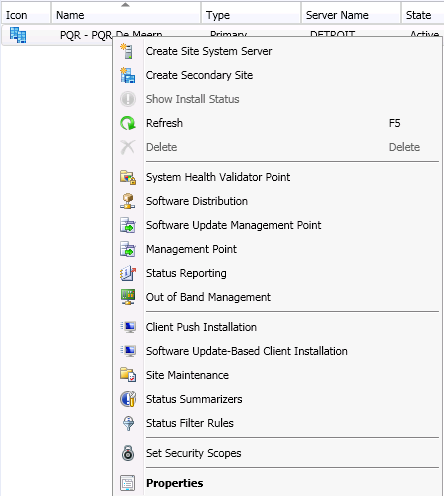
When right click on the Primary Site, many options are available. Things like adding a Secondary Site, Component Configuration, Client Agents, Site Maintenance, and so on are all here. This can also be accessible also from the new ribbon.
As you can see the same functionality is here. That's why I would recommend to use the ribbon as many as possible. When choosing Site properties some new functionality wil be seen. Let's have a look at the options. New in here are things like Alerts (used for free disk space on the ConfigMgr server), Sender and Client Computer Communication.
Mixed mode and Native mode doesn't exist anymore in ConfigMgr 2012. Now there is the choice between communication in HTTP and/or HTTPS. Nice thing is this can be decided per rol. For example: communication to the Distribution point can be configured in HTTP, while communication to the Management point is configured in HTTPS.
Also there's an option "Use HTTPS by using client certificate (client authentication capability) when available". This option can also be selected during installation "Clients will use HTTPS when PKI client certificate and HTTPS enabled site roles are available". This is a new feature, which will dynamically use HTTPS when there's PKI in place!
Now have a look at the Client Settings. In ConfigMgr 2007 there were multiple Client agent settings to configure. In this new release only one Client settings screen is available, "Default Client Agent Settings". This will have all functionality for all kind of Client settings onboard.
Things like Inventory, Power Management (default ON), Remote Tools and Software Updates can now be configured in one screen. This will be applied for all ConfigMgr clients. It's also possible to create "Custom Client Settings". Then customized settings for devices or users will overrule the default Client Agent settings. Nice to see that Client Agent settings are organized now!
In the next blog Site roles will be explained.
Today I installed ConfigMgr 2012 Beta 2 again with my PQR collegue Stephan Wibier. Now also the default configuration (Administration) is done, for getting new functionality to work. This installation will be used to manage the virtual (www.virtuall.eu) environment, and will also be used for Patch management. We have seen many new functionalities today! Till now they are all improvements!
First I have added Domain Admins in Administrative Users, so my other PQR collegues can also make use of the new ConfigMgr functionality! Now let's start to configure ConfigMgr 2012 B2! First I go to Discovery Methods. New in here is "Active Directory Forest Discovery". When enabling this feature there are two (2) checkboxes. These will be automatically add the boundaries for you! Now is that handy or not?
When enabling other Discovery Methods (for example: Active Directory Security Group, System or System Group discovery) a full discovery will be run automatically. Also "Enable delta discovery" is enabled by default now. The only discovery method enabled by default (after a fresh installation) is the Heartbeat Discovery. The new items will soon be displayed in the collections.
After this collections will be filled beneath "Assets and Compliance". There are now less collections then ConfigMgr 2007. Things are organized better now! There will be default collections for Users, Devices, User Collections and Device Collections. Beneath User and Device Collections are the additional collections. These will be displayed for make it clearer.
New User collections are:
New Device collections are:
The console performance is must better then before! This because it's running in Silverlight now. Functionality in the ConfigMgr console is found on a logical place now. No searching for options anymore, but just find it quick and easy with the new ribbon! In every step in the ConfigMgr console, the ribbon is available! No/less right clicking anymore..
This is functioning all well, what a great product/upgrade this is! Also the different tabs (also found in other Microsoft products) are in place now: Administration, Software Library, Monitoring & Assets and Compliance.
More soon!
On 23 march 2011 during MMS 2011 in Las Vegas, ConfigMgr 2012 Beta 2 is released. Because I'm doing ConfigMgr implementations most of times, I want to know which changes are made during installation. In this blog the setup of this new release is viewed, to see if there are any differences between previous releases. This installation is done on a Windows Server 2008 R2 Enterprise x64 server.
Let's download first the new Beta release "ConfigMgr_2012_Beta2_ENU_7561" on Technet Downloads: http://technet.microsoft.com/en-us/bb403698
Unpack the file, and start Splash.hta for starting the setup. The following screen will be seen then, which has many new options in it:
When choosing INSTALL a message is displayed that DotNet Framework 3.5 SP1 and 4.0 are needed for starting the installation. So let's see first what's needed on the server for having a successful installation:
- DotNet Framework 3.5 SP1 and 4.0 (with default IIS Role Services)
- SQL Server 2008 SP1 with Cumulative Update 10 or higher (SP2 and R2 are not supported yet)
- Remote Differential Compression (RDC)
- Background Intelligence Transfer Service (BITS)
- Windows Server Updates Servies (WSUS) > (optional)
- IIS Role Services > IIS 6 WMI Compatibility
Then the installation begins..
Next in line after this screen are:
- Available Setup Options (Primary Site Server, Central Administration Site, Recover a Site Server)
- Microsoft Software License Terms
- Updated Prerequisite Components (14 items till now)
- Site and Installation Settings (Site Code, Site Name)
- Primary Site Installation (install a standalone site, or join an existing hierarchy)
- Database Server (SQL Server 2008 SP1 with cumulative update 10 is needed)
When this error message is displayed after installing SQL Server 2008 SP1 with cumulative update 10, the TCP/IP protocol must be enabled.
Start "SQL Server Configuration Manager" for that, choose Protocols, and enable TCP/IP. Then restart SQL Server service for make changes active.
Now the installation can be continued:
- SMS Provider Settings (cannot be installed on a clustered SQL server)
- Client Computer Communication Settings (Native or Mixed mode)
- Site System Roles (Choose HTTP or HTTPS for MP or DP, this can be choosen per rol)
- Customer Experience Improvement Program Configuration
- Setting Summary
- Prerequisite Check
- Install.. (this takes a while..)
After that ConfigMgr 2012 Beta 2 is installed! Not that hard I think?
Next blog will zoom deeper in configuring this new ConfigMgr release! I'm very excited about this new ConfigMgr release! I hope you are too!
Thanks to my PQR collegue Stephan Wibier, for the SQL (TCP/IP protocol) advise!