In my daily job I'm doing a lot ConfigMgr and SCEP implementations. Sometimes Endpoint Protection (SCEP) is installed for antivirus and antimalware usage. During installation the SCEP client can be installed and an export of the SCEP policy can be applied. After the task sequence is done the SCEP client still needs to be updated however. This can be done during the task sequence also. Let's have a look.
The SCEP client can be installed with a ConfigMgr package. Just use a program like this: "SCEPInstall.exe /policy <policy>.xml". More about that can be found here: css-security.com
The SCEP definitions can be updated during a task sequence also. That way new definitions can be installed during OS deployment. More about that can be found here: chrisnackers.com
When using the SCEP definitions a VBS script is used, which downloads new MPAM and NIS definitions each day. When using a scheduled task this will be done automatically. The SCEP definitions package can be synchronized on the ConfigMgr Distribution point daily within package properties. This is needed to deploy the package with the new content downloaded. No SCEP installation with old definitions anymore :)
Download: EP_Definitions.vbs
The definitions updates can be found on the following location:
-Endpoint Protection antimalware definition update (x86)
-Endpoint Protection antimalware definition update (x64)
-Network Inspection System definition updates (x86)
-Network Inspection System definition updates (x64)
Just use above configuration to automate installation and daily SCEP definitions, so a up-to-date SCEP client will be installed always.
Just great, isn't it!?

Showing posts with label Definition Update Automation. Show all posts
Showing posts with label Definition Update Automation. Show all posts
Monday, May 5, 2014

Wednesday, October 12, 2011
Definition Update Automation with ConfigMgr working now
Yesterday I posted a blog because the "Definition Update Automation Tool for Forefront Endpoint Protection 2010" wasn't working in my environment. Have a look at Definition Update Automation with Configuration Manager for that one. Today I succeeded to automatically receive new definitions and publish them. In this blog I will post my results and a few good tips and tricks also.
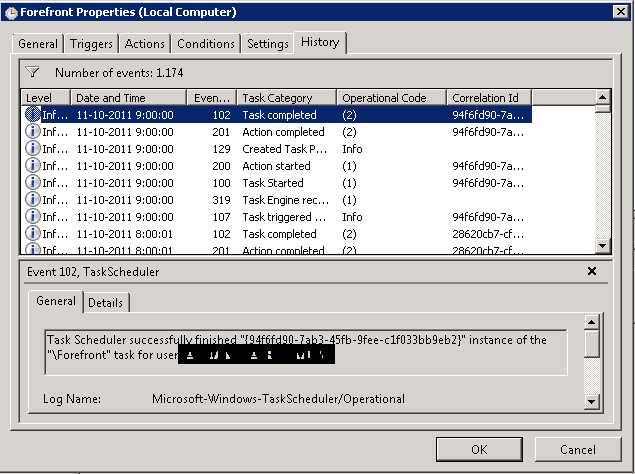
I configured a scheduled task with the following settings:
 Run the task with the SYSTEM account and with highest privileges. Configure it for Windows 7 (when needed).
 Run the task every hour a day so updates will be downloaded and publish almost immediately when released.
 Start a program with the default settings described in "Definition Update Automation with Configuration Manager" http://technet.microsoft.com/en-us/library/hh297450.aspx
 The task will run fine after that. Just make sure the tool is placed in the right folder and user account choosen has enough rights.
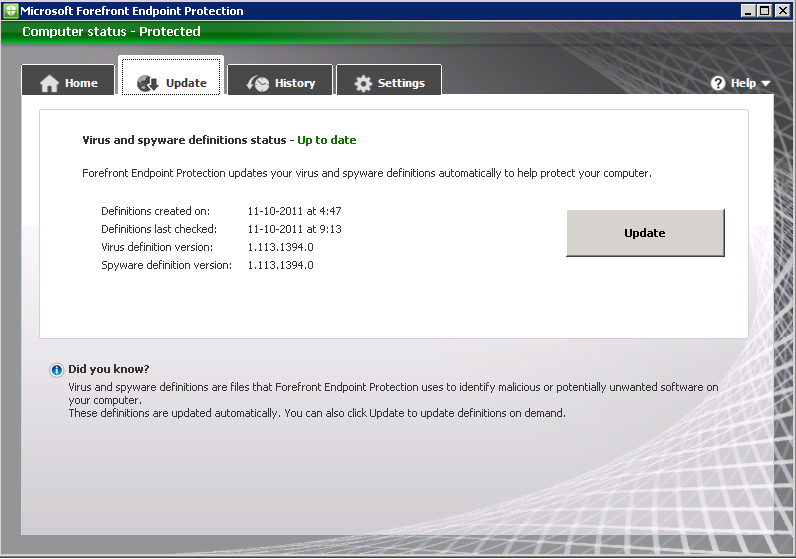
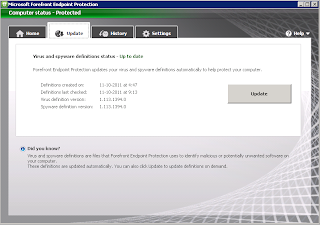 Existing Forefront clients will be automatically updated to the new definition version. This when deploying a new Forefront client also.
 It's possible to consult reports for actual information. There are a few reports beneath the Forefront pane and more eventually beneath reporting services.
 My personal favorite is report 389 "FEP information for a specific computer". That way it's possible to see Forefront install, policy and update information in one overview.
 When adding the Forefront client in a task sequence this tick must be cleared. Otherwise it's not possible to select the program in a task sequence.
 After that, the program is selectable but will not install during a task sequence. This because the script cannot be used during a task sequence install.
Just create a new package and program for that with the following settings: "FEPinstall.exe /q /s /policy <path>\<policy-export>.xml". Be sure that the Network access account AND client computers has access to the source folder. That way Forefront client install by task sequence is possible with the exported policy added.
A few sites with good information on Forefront deployment and troubleshooting issues:
Errors When Using the FEP 2010 Definition Update Automation Tool
http://blogs.technet.com/b/clientsecurity/archive/2011/07/18/errors-when-using-the-fep-2010-definition-update-automation-tool.aspx
Installing the Forefront Endpoint Protection 2010 client and OSD
http://ccmexec.com/2011/02/installing-the-forefront-endpoint-protection-2010-client-and-osd/
Invalid argument format (index 7) "AND", arguments are supposed to start with a / (SoftwareUpdateAutomation.exe)
http://social.technet.microsoft.com/Forums/en-US/FCSNext/thread/ca500b36-c667-4030-85f9-ebd0defbdaf7/
Definition update automation tool
http://social.technet.microsoft.com/Forums/en-US/FCSNext/thread/9105024f-3a61-4fe0-bc88-803b502881a8/
I configured a scheduled task with the following settings:




Just create a new package and program for that with the following settings: "FEPinstall.exe /q /s /policy <path>\<policy-export>.xml". Be sure that the Network access account AND client computers has access to the source folder. That way Forefront client install by task sequence is possible with the exported policy added.
A few sites with good information on Forefront deployment and troubleshooting issues:
Errors When Using the FEP 2010 Definition Update Automation Tool
http://blogs.technet.com/b/clientsecurity/archive/2011/07/18/errors-when-using-the-fep-2010-definition-update-automation-tool.aspx
Installing the Forefront Endpoint Protection 2010 client and OSD
http://ccmexec.com/2011/02/installing-the-forefront-endpoint-protection-2010-client-and-osd/
Invalid argument format (index 7) "AND", arguments are supposed to start with a / (SoftwareUpdateAutomation.exe)
http://social.technet.microsoft.com/Forums/en-US/FCSNext/thread/ca500b36-c667-4030-85f9-ebd0defbdaf7/
Definition update automation tool
http://social.technet.microsoft.com/Forums/en-US/FCSNext/thread/9105024f-3a61-4fe0-bc88-803b502881a8/
Monday, October 10, 2011
Definition Update Automation with Configuration Manager
With System Center Configuration Manager (ConfigMgr) it's possible to install and use Forefront Endpoint Protection (FEP) 2010 also. Both products can be integrated so ConfigMgr will also handle Forefront Antivirus and Definition updates. Microsoft released some Forefront Endpoint Protection (FEP) 2010 Update Rollup 1 Tools also. These free downloads make it easier for Forefront Endpoint Protection 2010 Update Rollup 1 customers to use Group Policy for centralized management, provide optimized settings for various server roles, and diagnose and troubleshoot support issues. It can be downloaded here: http://www.microsoft.com/download/en/details.aspx?id=26613
The one I'm using is "Definition Update Automation Tool for Forefront Endpoint Protection 2010". This tool enables you to automate downloading and publication of FEP definition updates using the Configuration Manager 2007 Software Update feature. This is a command line tool that uses the Configuration Manager API to download new definitions from Microsoft Update, distribute them to the software update point, and publish the definitions to the endpoints. To automate the tool, you must add a Windows task to run it automatically at a scheduled interval. More information about "Definition Update Automation with Configuration Manager" can be found here: http://technet.microsoft.com/en-us/library/hh297450.aspx
Point is, it isn't working in my environment. It's true that new definitions are downloaded automatically in Deployment Packages. But distribute them and publish the definitions isn't working yet. This because Distribution Points are not updated after running the tool and new definitions are not added to Deployment Management. The command I'm using is: SoftwareUpdateAutomation.exe
The one I'm using is "Definition Update Automation Tool for Forefront Endpoint Protection 2010". This tool enables you to automate downloading and publication of FEP definition updates using the Configuration Manager 2007 Software Update feature. This is a command line tool that uses the Configuration Manager API to download new definitions from Microsoft Update, distribute them to the software update point, and publish the definitions to the endpoints. To automate the tool, you must add a Windows task to run it automatically at a scheduled interval. More information about "Definition Update Automation with Configuration Manager" can be found here: http://technet.microsoft.com/en-us/library/hh297450.aspx
Point is, it isn't working in my environment. It's true that new definitions are downloaded automatically in Deployment Packages. But distribute them and publish the definitions isn't working yet. This because Distribution Points are not updated after running the tool and new definitions are not added to Deployment Management. The command I'm using is: SoftwareUpdateAutomation.exe
- /AssignmentName <AssignmentName>
- /PackageName <PackageName>
- /RefreshDP
- /UpdateFilter "ArticleID=2461484 AND IsSuperseded=0 AND IsEnabled=1 AND IsExpired=0"
Subscribe to:
Comments (Atom)